The Media Manager lists all the media stored in COMPASS.
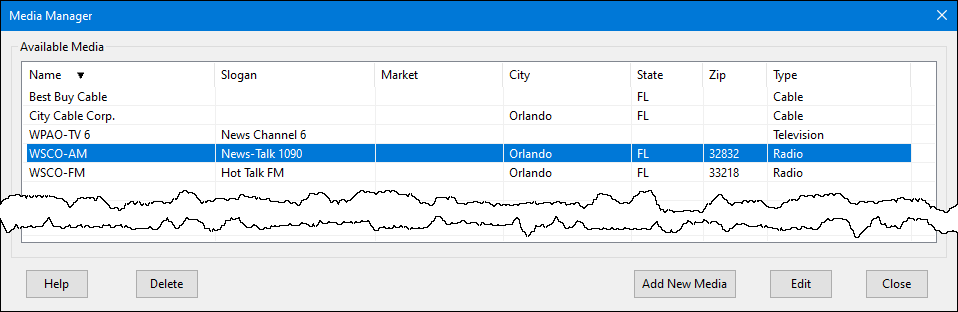
Media Manager
Any existing media can be edited by either double-clicking it with the mouse, or left-clicking to highlight it, then clicking the Edit button. New media can be added by clicking the Add New Media button at the bottom of the window. Either of these opens the Media Information window.
To delete a media, select it with the mouse then click the Delete button. The program will ask for confirmation before deleting. If the media is assigned to a campaign, it cannot be deleted while that campaign remains on file.
 Pro Tip
Media can be edited directly from the Campaign Information window by first left-clicking a media in the Media list to highlight it, then right-clicking to open the Media Information window.
In the Schedule Detail window, the currently displayed media can be edited by right clicking the Media drop down.