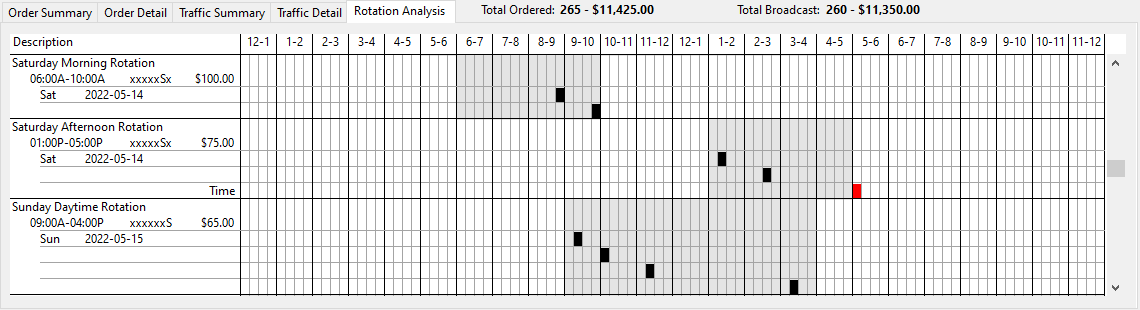
The Rotation Analysis section of Reconcile Explorer plots every ad aired for the period in chronological order by quarter hour. This provides an "at-a-glance" view of where each ad appeared and whether or not it aired within the specified time frame.
Rotation Analysis
The gray area of the graph corresponds to the time frame specified in the original order for that line. Each ad is designated by a black rectangle within one of the quarter hours of the time frame. If more than one ad is aired in the same quarter hour, the rectangle will appear in red with a white number indicating the number of ads. On the actual window, scroll down to see the entire reconcile period.
Any ad falling outside of the specified time frame will appear in red for easy identification. Note that if an ad outside the time frame is edited to be marked "OK", the red color will revert to black. Only "NOT OK" ads outside the time frame appear in red.
In the Order Detail topic, the issue of an ad that aired outside the 1:00PM - 5:00PM time frame was covered. That ad is highlighted in the graphic above, as it actually aired at 5:04PM. Again, when the status of that ad changes to "OK", it will appear in the Rotation Analysis as a black rectangle instead of red as it is now no longer considered an error.