Frequently used program and schedule descriptions are easily inserted when creating or editing schedule lines using COMPASS's Common Descriptions feature. While descriptions may be added or edited from the pop-up window in the Schedule Detail, the Description Manager provides a slightly more elegant alternative. Open the Description Manager window by choosing Tools > Description Manager from the main menu.
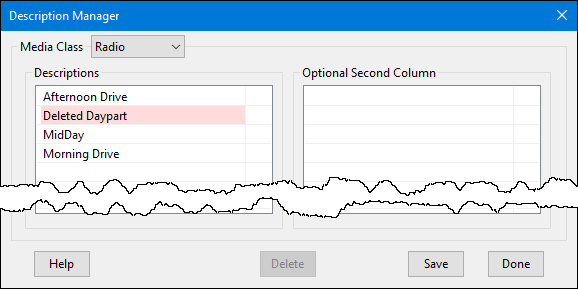
Description Manager
The Media Class drop down lists all media types in the program. Select the desired class from the list to display the descriptions and optional second column descriptions for that media.
Adding a New Description
A new description can be added by using the left mouse button to double click any blank row in the desired list. This will create an edit field where the new description can be entered.
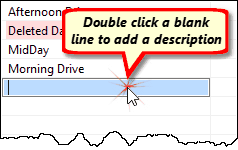
Adding a New Description
Enter the new description in the blue field, then press Enter to add it, or press Esc to cancel the addition. Duplicate entries are not permitted.
New additions are not stored in the database until the Save button is clicked. After saving, the list is refreshed and all descriptions appear in alphabetical order.
Editing a Description
Any existing description may be edited by double clicking it. Make any changes desired and then press Enter to complete editing or Esc to abandon any changes. Click Save to make any changes permanent. Such changes are not reflected in existing schedules.
Deleting Descriptions
Any existing description can be removed from either list by first selecting it with the mouse, then clicking the Delete button to mark it for removal. Descriptions marked for deletion will have a pink background. Multiple descriptions can be selected by holding down Shift or Ctrl while using the mouse. Click Save to remove the marked items from both lists simultaneously. Deleting a description from the list does not remove that description from any schedules where it was previously assigned.
Click Done to close the Description Manager window. This will also abandon any unsaved changes.