Navigating through a media's schedule can be accomplished sequentially by using the Previous  and Next
  buttons on the Schedule Detail Tool Bar. Additional tool bar buttons take you to the First Week
  and Final Week
  of the schedule. If the schedule includes the current calendar week, the Current Week
  button will be enabled. To jump to a specific week (bypassing all the weeks in between), click the Active Week box in the Schedule Info area.
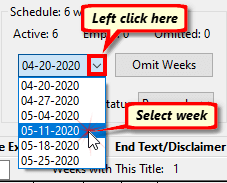
Jump to Week
From the drop-down list of active weeks, click the week to display to jump directly to that week.
Right click the drop down week list in the Schedule Info selection of Schedule Detail to display the Select Week window.
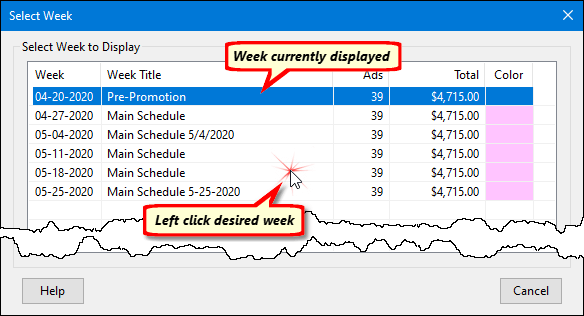
Select Week Window
In addition to the week date, this view shows the week title (if any), the number of ads, dollar total, and week color assigned. The window opens with the currently active week highlighted. Left click any week date in the list to immediately jump to that week of the schedule.