Throughout COMPASS there are text input areas that are used to explain or clarify information to media regarding schedules and traffic. These areas include:
•Schedule Week Notes |
•Traffic Detail Comments |
•Multi Week Span Schedule Comments |
•Traffic Delivery Summary Comments |
•Schedule End Text |
•Traffic Instruction End Text |
•Schedule Disclaimer |
•Traffic Instruction Disclaimer |
While text for any of these areas can always be entered manually, COMPASS's Library Editor allows you to create text templates to standardize many frequently recurring instructions. Additionally, a selected template from each category can be designated as the default text that will always be selected when a new schedule or traffic is created.
When working with a schedule or traffic instructions, text areas supported by the Text Library are indicated by a drop down list that appears above and to the right on the screen.
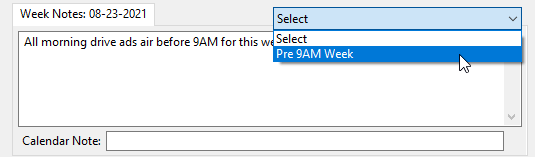
Text with Drop Down Example
When a selection is made from the list, an additional selection menu will appear:
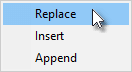
Text Options
•Replace: The text selected will replace all existing text in the text box.
•Insert: The text selected will be inserted at the point where the cursor was located, moving any existing text to the right of the cursor to make room.
•Append: The text selected will be appended to the end of any existing text.
If there is no existing text in the text area, the Replace option will be changed to Add and the additional two options will be disabled.
Right click the Select drop down list to open the Library Editor where new text items can be added and existing ones edited or deleted. Any changes made in the editor are immediately reflected in the drop down list once the editor has been closed.