When Traffic Instructions are created in COMPASS, it can occasionally happen that delays in copy creation or production can result in the actual instructions not being issued to media in a timely manner. The Unissued Traffic Report is the method COMPASS uses to alert you of such a situation.
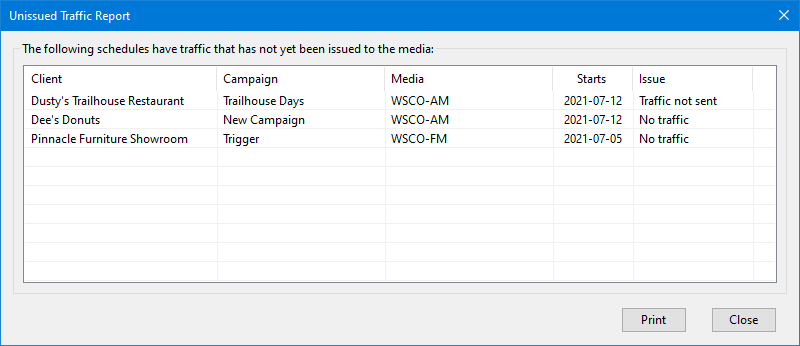
Unissued Traffic Report
The report can be manually selected from COMPASS's main menu Tools > Unissued Traffic Report whenever desired. It can also be selected to be generated automatically on each day's first use of the program via the Traffic Options section of Program Options.
There are two conditions where traffic is considered "unissued":
•No traffic has been created (Issue column shows "No traffic")
•Traffic instructions have been created but have not be issued to media (Issue column shows "Traffic not sent")
Items listed on the report can be addressed by using the left mouse button to double click the line. This opens the Traffic Instructions window where traffic may be entered, imported from a previous campaign, or issued to media, as needed.
The items listed in the report may also be printed by clicking the Print button.